
How to Redeem My Zombie Zoo Codes
Be ready the moment Hungry Brain drops a working promo code.
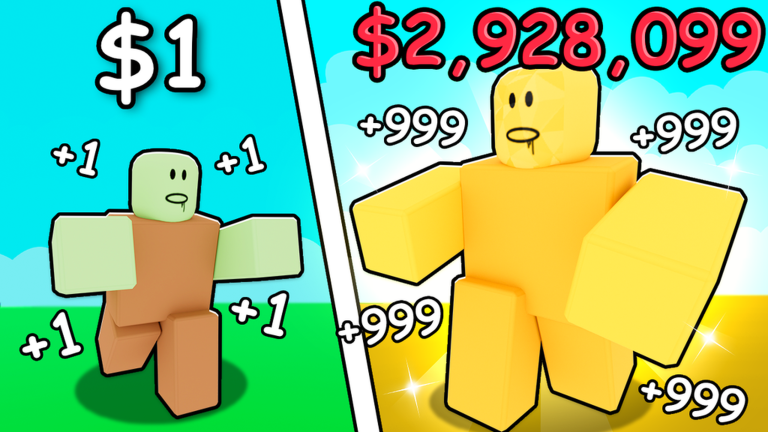
This guide shows how to redeem My Zombie Zoo codes on Roblox so you can claim rewards the second a verified string appears. [UPD] My Zombie Zoo is a simulation tycoon by Hungry Brain (originally Duckable). You grow a zombie zoo by pulling levers or rolling eggs, incubating them, placing zombies in enclosures, feeding exhibits, collecting cash, then upgrading and fusing. Codes are optional boosts on top of that loop — not a replacement for good zoo management.
As of November 2026, there are still no verified public codes. Use this page as a checklist so you are not scrambling when the first wave drops. For live status, keep the Codes Hub open in another tab.
Before you redeem
- Launch Roblox and join [UPD] My Zombie Zoo (place ID
112520004217275). - Let your plot and UI finish loading. Busy servers (max 6 players per server) can delay menus for a few seconds.
- Complete any mandatory tutorial prompts so HUD buttons unlock.
- Copy the code from a trusted list such as this wiki — do not retype from memory if the string has mixed case or punctuation.
- Have inventory space and a stable connection. Failed redeems often come from disconnects mid-claim, not from “broken” codes.
Step-by-step redeem flow
Exact button labels can change after patches, but Roblox tycoons usually follow the same pattern:
- Look for a Codes, Twitter, Rewards, or Gift button on the left or right side of the HUD, or inside a main Menu / Settings panel.
- Open the Codes panel and find the text field labeled something like Enter Code.
- Paste the code exactly. Do not add spaces before or after the string.
- Press Redeem, Submit, or Claim.
- Watch for a success toast. Rewards may appear as cash, eggs, food, boosts, or items in your backpack or zoo storage.
- If nothing happens, wait a few seconds, then check cash and inventory before trying again.
If your client has no Codes button yet, that matches the current November 2026 status: Hungry Brain may not have enabled public codes. Revisit after notes on the Updates Hub.
Case sensitivity and common typos
Most Roblox codes are case-sensitive. ZooUpdate and zooupdate are different strings. Copy-paste beats typing. Also watch for:
- Trailing spaces copied from Discord or chat
- Smart quotes or fancy punctuation pasted from blogs
- Zero vs letter O, one vs letter l
- Missing
!at the end when a code includes it
When we list a real code on the Codes Hub, copy it character-for-character from that page.
Troubleshooting failed redeems
| Message / symptom | What to try |
|---|---|
| Invalid / wrong code | Confirm the string is for My Zombie Zoo, not another game. Recheck Codes Hub. |
| Already redeemed | Each code is usually one redeem per account. |
| Expired | Move on — expired codes cannot be revived from the client. |
| Level / tutorial locked | Progress a bit further, then reopen the Codes UI. |
| No Codes button | Codes may not be live yet, or the UI moved after an update. |
| Nothing happens | Rejoin the experience, disable overlapping GUIs, try again. |
Never buy “code packs” from strangers. Promo codes are free when the developer releases them.
What to do while waiting for the first codes
Spend the downtime strengthening your zoo. Pull the lever / roll for eggs, incubate, place zombies, feed, collect, then upgrade and fuse. The Getting Started guide covers the early loop. Learn movement and interact keys on the Controls page so redeeming and managing pens stays smooth on PC and mobile.
If you prefer automation for feeding and collecting while you watch for announcements, read the Scripts Hub and the auto farm script guide. Scripts can violate Roblox Terms of Use and carry account risk — decide for yourself after reading the warnings there.
After a successful redeem
- Note what you received (cash, eggs, food, boosts).
- Spend cash on enclosure upgrades or better eggs instead of hoarding forever.
- Incubate free eggs promptly so income ramps up.
- Recheck the Codes Hub for sibling codes released in the same update wave.
- Skim Updates so you know whether the reward was a one-off apology code or part of an ongoing event.
Mobile vs desktop tips
On desktop, paste with the usual OS shortcut into the code field, then click Redeem. On mobile, long-press to paste; avoid the autocorrect bar changing letters. If the on-screen keyboard covers the Redeem button, dismiss the keyboard first, then tap Redeem.
Related links
- Codes Hub — live / empty status and honesty policy
- Updates Hub — patch timing when codes often appear
- Getting Started — egg → enclosure fundamentals
- Controls — movement and interact bindings
- Wiki — official game facts and creator credits
Redeeming takes under a minute once the UI exists. The hard part is waiting for a real code — and this wiki will not fake one.
Frequently Asked Questions
Quick answers for My Zombie Zoo players.
Why is there no Codes button in my game?
As of November 2026, My Zombie Zoo has no verified public codes, so the redeem UI may be hidden or unused. Check again after updates listed on the Updates Hub.
Are My Zombie Zoo codes case-sensitive?
Expect case-sensitive strings like most Roblox games. Always paste exactly from the Codes Hub when a verified code is published.
Can I redeem the same code twice?
Almost never. Roblox promo codes are typically one redeem per account. A second attempt usually returns Already Redeemed.
Do I need Robux to redeem codes?
No. Official promo codes are free. Anyone asking you to pay Robux for a “code” is not offering a normal redeem.
Where should I look when the first codes drop?
Start with this wiki’s Codes Hub, then confirm against Hungry Brain announcements and the in-game Codes panel.